
How often the wallpaper changes on iOS?
Edited
Your wallpaper is refreshed by the automation you created in Shortcuts, and each automation refreshes it once. With one automation, the wallpaper changes once a day.
To refresh it more often, add more automations that run the same shortcut. Three automations means three new wallpapers a day, four means four, and so on.
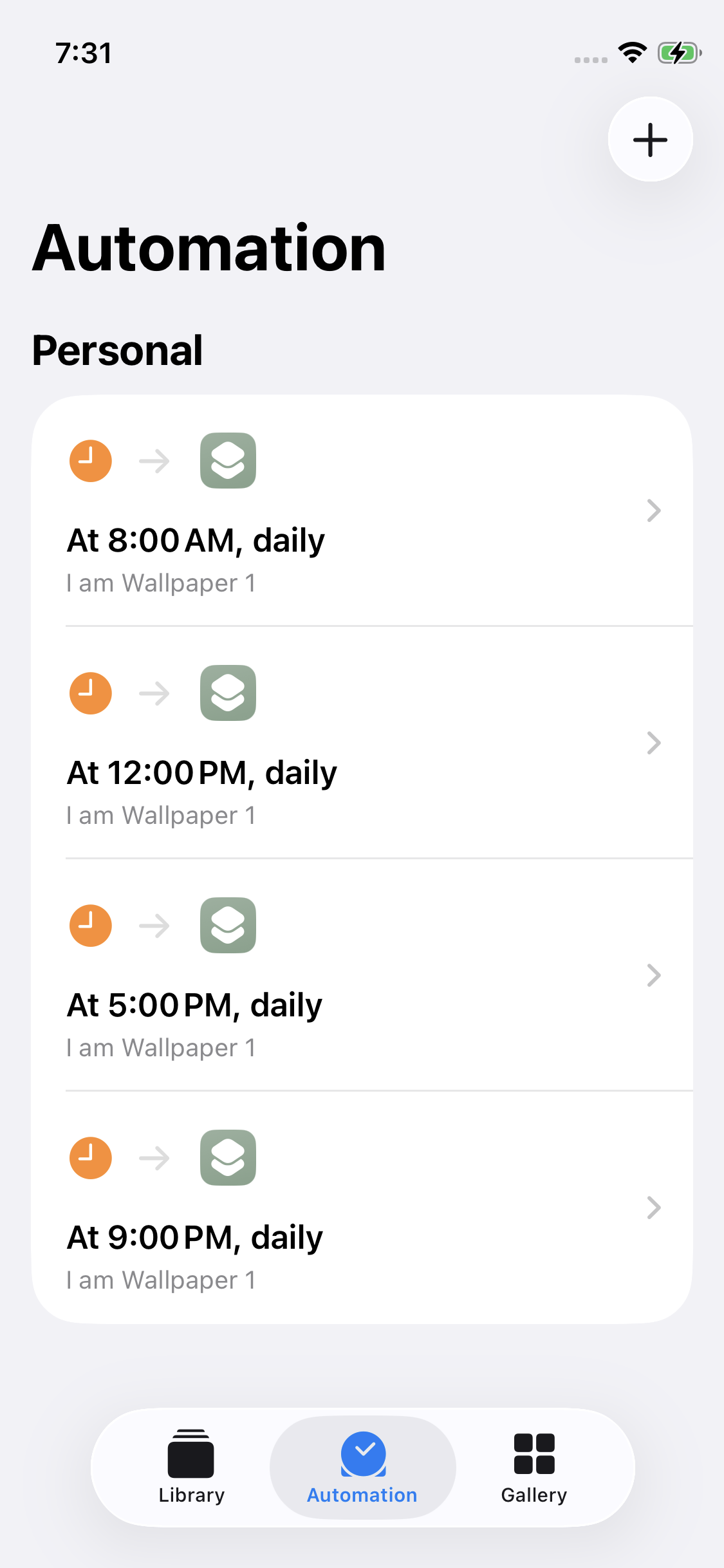
To add another automation:
Open the Shortcuts app
Go to the "Automation" tab at the bottom
Tap "New automation"
Select "Time of Day", set the time you want, then select "Run Immediately"
Tap "Next" and select the same wallpaper shortcut
To go back to one change a day, delete the extra automations in the "Automation" tab and keep only one.